

Is Your Business Data Ready for AI Transformation?
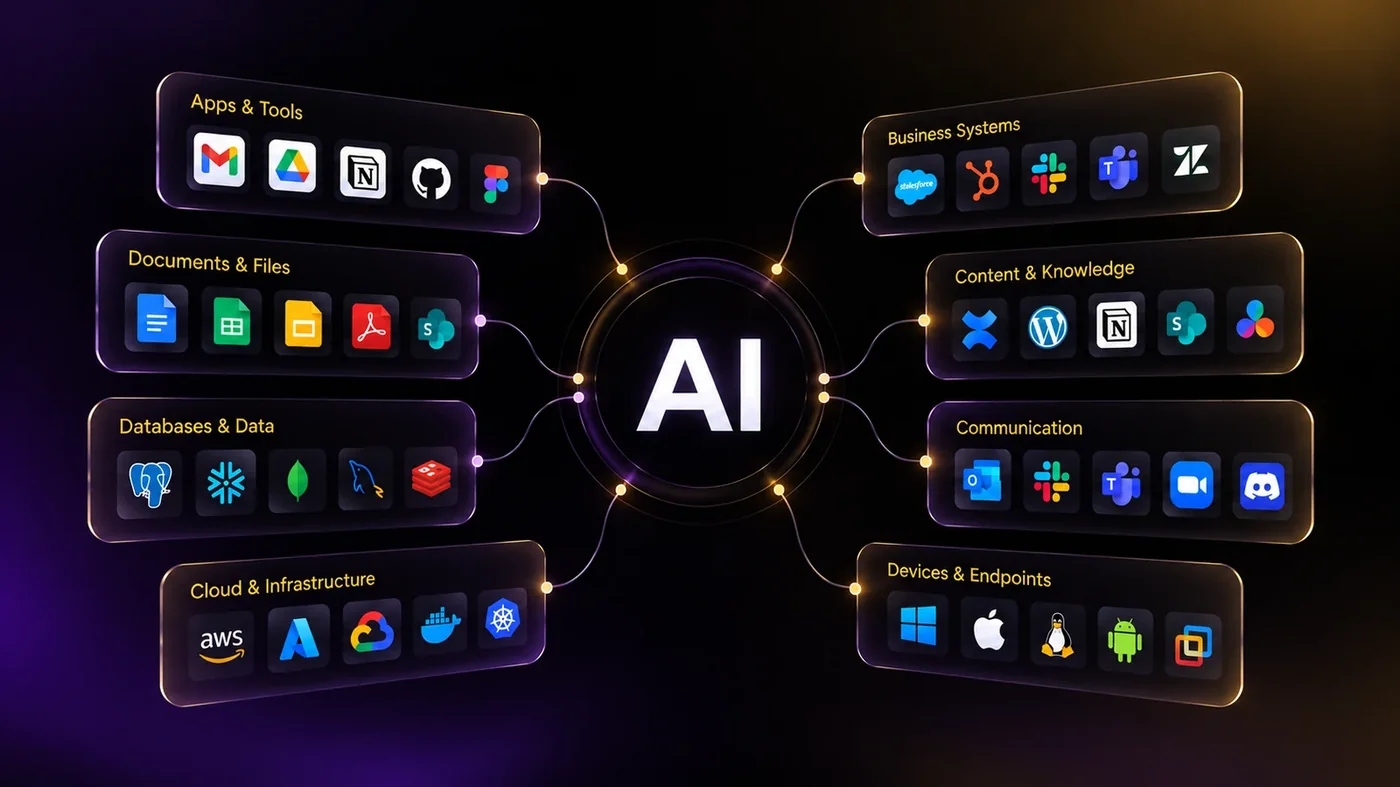
Artificial intelligence can transform how a business operates. AI assistants can answer employee questions, automation can handle repetitive work, AI agents can perform multi-step processes, and intelligent systems can help teams make faster decisions.
But there is one issue many businesses discover after starting an AI project:
Their data is not ready.
AI is only as useful as the information it can securely access, understand, and trust.
If important business information is scattered across SharePoint, Microsoft Teams, file servers, spreadsheets, CRM systems, emails, PDFs, databases, and employees' personal folders, simply adding an AI platform will not solve the problem.
Before investing heavily in AI transformation, businesses should first ask:
Is our business data actually ready for AI?
This practical AI readiness checklist will help you assess your current data environment, identify gaps, and understand what needs to improve before deploying AI at scale.
Quick Answer: What Does It Mean for Business Data to Be AI-Ready?
AI-ready business data is accurate, accessible, secure, well-organized, properly governed, and understandable enough for AI systems to retrieve and use reliably.
A business does not need perfect data before starting an AI project.
However, it should understand:
- Where its important data is stored
- Who owns that data
- Who should have access to it
- Whether the information is accurate and current
- How sensitive information is protected
- Whether systems can exchange data
- Whether documents contain enough context for AI to understand them
- How AI access and actions will be monitored
The objective is not simply to "clean the data."
The objective is to create a trusted information foundation for AI.
Why Data Readiness Matters for AI Transformation
Traditional applications normally work with predefined inputs, workflows, and database fields.
Modern AI systems work differently.
An AI assistant may need to search thousands of documents.
An AI agent may need to retrieve customer information from a CRM, check stock in an ERP system, read a company policy from SharePoint, update a ticketing system, and then send an approved response.
That means AI transformation depends heavily on the quality of the underlying information environment.
Poor data can create several problems:
- Incorrect AI answers
- Outdated recommendations
- Duplicate or contradictory information
- Exposure of confidential information
- Poor search and retrieval results
- Employees losing confidence in AI tools
- AI agents taking actions based on incomplete information
- Compliance and governance risks
For many organisations, the first stage of AI transformation is therefore not deploying an AI model.
It is getting the organisation's data ready for AI.
The Business AI Data Readiness Checklist
Use the following 12 areas to assess your organisation.
For each category, score your organisation:
0 = Not in place
1 = Partially in place or inconsistent
2 = Well defined and consistently managed
The maximum score is 24.
This is a practical assessment framework rather than an industry certification.
1. Do You Know Where Your Business Data Lives?
The first requirement for AI readiness is visibility.
Most businesses have data distributed across multiple platforms, including:
- SharePoint
- Microsoft Teams
- OneDrive
- File servers
- CRM platforms
- ERP systems
- Ticketing systems
- SQL databases
- Cloud applications
- HR systems
- Excel spreadsheets
- PDFs
- Employee devices
- Legacy applications
Before connecting AI to business information, you need a basic data inventory.
Ask:
- What systems contain important company information?
- Which systems contain customer data?
- Where are contracts stored?
- Where are policies and procedures stored?
- Where is operational knowledge stored?
- Are important documents sitting in personal OneDrive folders?
- Are teams maintaining separate copies of the same information?
- Are there legacy systems that still contain important historical data?
Red flags
You may have a data-readiness problem if employees regularly say:
"I know the document exists, but I don't know where it is."
Or:
"Ask John. He has the latest version."
That means important organisational knowledge depends on individuals rather than controlled information systems.
What good looks like
Your organisation maintains a clear inventory of its important data sources, systems, owners, and business purposes.
Score: 0 / 1 / 2
2. Is Your Data Accurate and Consistent?
AI can process information very quickly.
Unfortunately, it can also process incorrect information very quickly.
Suppose your CRM says a customer's industry is "Hospitality," while another system says "Retail," and a spreadsheet maintained by another team says "Entertainment."
Which system should the AI trust?
Data quality problems commonly include:
- Duplicate records
- Missing fields
- Incorrect customer details
- Inconsistent naming
- Different date formats
- Old contact information
- Duplicate documents
- Conflicting reports
- Manually maintained spreadsheets
- Different versions of the same policy
AI systems need reliable sources of truth.
Ask:
- Are duplicate records regularly identified?
- Are important fields mandatory?
- Are naming conventions standardised?
- Are data-validation rules used?
- Do departments agree on the authoritative system for important information?
- Can employees identify which document version is current?
What good looks like
Critical business information has clearly defined authoritative sources, and processes exist to identify and correct inaccurate or duplicate data.
Score: 0 / 1 / 2
3. Is Your Information Current?
AI readiness is not only about accuracy.
It is also about freshness.
Imagine asking an AI assistant:
"What is our current employee travel policy?"
If the knowledge system contains policies from 2022, 2024, 2025, and 2026 without clearly identifying the current version, the AI may retrieve the wrong information.
The same issue applies to:
- Product information
- Pricing
- Employee policies
- Customer information
- Technical documentation
- Network documentation
- Contracts
- Operating procedures
- Supplier information
- Sales materials
Ask:
- Are documents reviewed periodically?
- Are obsolete versions archived or removed?
- Is there a clear "last reviewed" date?
- Is document ownership defined?
- Can systems identify the latest version automatically?
What good looks like
Important business information has a defined lifecycle, owner, review process, and version history.
Score: 0 / 1 / 2
4. Is Your Data Properly Structured?
AI systems can work with unstructured information, but organisation still matters.
Structured information generally includes systems such as:
- Databases
- CRM records
- ERP systems
- Asset-management systems
- Ticketing systems
Unstructured information may include:
- Word documents
- PDFs
- Emails
- Teams conversations
- PowerPoint presentations
- Meeting notes
- Scanned documents
Most organisations have both.
The problem is not that unstructured data exists.
The problem occurs when documents lack structure, context, ownership, naming standards, or useful metadata.
Example
Compare these two files:
Final_v3_UPDATED_NEW.docx
and:
Information-Security-Policy-2026.docx
The second document provides considerably more context before an AI system even reads the document.
What good looks like
Business information follows consistent structures, document templates, naming conventions, and storage practices where practical.
Score: 0 / 1 / 2
5. Does Your Data Have Useful Metadata and Context?
AI systems need more than words.
They need context.
Consider a document containing:
"Employees must request approval before purchasing equipment."
Who does this apply to?
Which country?
Which department?
What equipment?
Who approves it?
When was the policy introduced?
Without sufficient context, retrieval becomes less reliable.
Useful metadata might include:
- Document title
- Department
- Document owner
- Document type
- Effective date
- Review date
- Region
- Customer
- Project
- Security classification
- Version
- Status
Good metadata makes enterprise search, Retrieval-Augmented Generation (RAG), AI assistants, and knowledge systems significantly easier to manage.
What good looks like
Important information contains enough business context for both people and machines to understand what the information represents.
Score: 0 / 1 / 2
6. Can Your Systems Access and Exchange Data?
Your information may be excellent, but an AI system cannot use information it cannot reach.
Businesses often operate dozens or hundreds of applications that were never designed to work together.
For example:
CRM → ERP → SharePoint → Ticketing → Finance → HR
AI transformation increasingly requires secure communication between these systems.
That can happen through:
- APIs
- Microsoft Graph
- Database connections
- Data warehouses
- Data lakes
- Integration platforms
- Middleware
- Automation platforms
- Enterprise search connectors
Ask:
- Do important systems provide APIs?
- Can applications exchange data securely?
- Are integrations documented?
- Are there unsupported legacy systems?
- Are employees manually copying information between applications?
If employees regularly export CSV files from one system and manually import them into another, there may be an integration-readiness problem.
What good looks like
Critical systems expose controlled methods for retrieving and updating information without relying heavily on manual data movement.
Score: 0 / 1 / 2
7. Are Your Permissions Ready for AI?
This is one of the most important AI readiness questions.
AI should normally respect the same access boundaries that apply to employees.
If an employee cannot access payroll information, their AI assistant should not retrieve payroll information for them.
The problem is that many organisations already have weak permission structures.
Common examples include:
- Everyone has access to large SharePoint sites
- Old employees remain in groups
- Shared accounts exist
- Sensitive folders inherit incorrect permissions
- Contractors retain unnecessary access
- Employees accumulate permissions over many years
AI can make these existing problems more visible because it makes information easier to discover.
Ask:
- Are permissions based on roles?
- Are access reviews performed?
- Are inactive accounts removed?
- Are privileged accounts controlled separately?
- Is least-privilege access followed?
- Are external sharing permissions reviewed?
What good looks like
Identity, access, and permissions are well managed before enterprise AI is given broad access to organisational information.
Score: 0 / 1 / 2
8. Is Sensitive Data Identified and Protected?
Before connecting AI to business data, organisations should understand what sensitive information they hold.
This may include:
- Personal information
- Financial information
- Employee records
- Customer information
- Contracts
- Intellectual property
- Credentials
- Security documentation
- Legal documents
- Commercially sensitive information
Not every AI system should have access to every category of information.
Organisations may need:
- Data classification
- Sensitivity labels
- Encryption
- Data Loss Prevention policies
- Retention policies
- Conditional access
- Access controls
- Audit logging
AI governance should extend existing information-security controls rather than bypass them.
What good looks like
Sensitive information can be identified, classified, protected, and monitored according to business and regulatory requirements.
Score: 0 / 1 / 2
9. Is Data Ownership and Governance Clearly Defined?
Someone needs to be responsible for important information.
IT can manage systems.
But IT should not necessarily decide whether a finance policy is correct or whether customer information is commercially accurate.
That responsibility normally belongs to the business owner of the data.
Examples might include:
Data and typical business owner:
- Employee policies: HR
- Financial information: Finance
- Customer data: Sales / CRM owner
- Security policies: IT / Security
- Contracts: Legal / Commercial
- Product information: Product team
Good AI governance therefore requires both technical and business ownership.
Ask:
- Who owns each important data domain?
- Who approves changes?
- Who reviews accuracy?
- Who determines retention?
- Who decides which AI systems may access the information?
What good looks like
Important business data has identifiable owners with clear responsibilities for quality, access, lifecycle, and appropriate use.
Score: 0 / 1 / 2
10. Can AI Reliably Retrieve the Right Information?
Many enterprise AI solutions use Retrieval-Augmented Generation, or RAG.
Instead of expecting an AI model to know internal company information, the system searches approved business data and provides relevant information to the model when answering a question.
For example:
Employee question → Enterprise search → Relevant company documents → AI model → Answer
The quality of this process depends heavily on the quality of the underlying knowledge environment.
Potential problems include:
- Poor document titles
- Duplicate content
- Old policies
- Missing metadata
- Poor permissions
- Scanned PDFs
- Very large documents
- Conflicting information
- Poor indexing
Test this yourself
Ask five employees to find:
- The current travel policy
- The latest sales presentation
- The approved company logo
- The current IT security policy
- The latest customer onboarding process
If humans struggle to find the correct information, AI will probably face similar challenges.
What good looks like
Important organisational knowledge can be consistently searched, identified, permissioned, and retrieved.
Score: 0 / 1 / 2
11. Can You Audit Where Data Came From and How It Was Used?
Enterprise AI should not operate as a black box.
For important processes, organisations may need to determine:
- What information the AI accessed
- Which system provided it
- When the information was retrieved
- Which user initiated the request
- What action the AI performed
- Whether a human approved the action
- Whether information was changed
- Whether sensitive data was involved
This becomes especially important when AI evolves from answering questions to taking actions.
An AI assistant that summarises a policy has limited operational authority.
An AI agent capable of modifying customer information, approving workflows, creating accounts, or triggering financial processes requires significantly stronger controls.
What good looks like
AI access and actions can be monitored, logged, reviewed, and investigated where appropriate.
Score: 0 / 1 / 2
12. Is Your Data Connected to a Clear AI Use Case?
One of the biggest AI transformation mistakes is starting with:
"We need AI."
A better starting point is:
"Which business problem are we trying to solve?"
Different AI use cases require different data.
Example 1: Internal AI knowledge assistant
Required information might include:
- Policies
- Procedures
- Training material
- FAQs
- Technical documentation
Example 2: AI sales assistant
Required information might include:
- CRM data
- Customer history
- Product information
- Pricing
- Proposals
- Sales documents
Example 3: AI IT support agent
Required information might include:
- Service desk tickets
- Knowledge-base articles
- Device inventory
- Identity information
- Troubleshooting documentation
- Microsoft 365 information
Example 4: AI finance automation
Required information might include:
- ERP data
- Invoices
- Purchase orders
- Approval rules
- Vendor information
- Financial policies
You do not necessarily need to prepare every piece of company data before beginning AI transformation.
You need to prepare the right data for the right use case.
What good looks like
Each proposed AI initiative has a clearly defined business problem, required data sources, data owner, expected output, security model, and success criteria.
Score: 0 / 1 / 2
Calculate Your AI Data Readiness Score
Add your scores from the 12 categories.
Maximum score: 24
Score and practical interpretation:
- 0–8: Significant data foundations should be addressed before broad AI deployment.
- 9–16: Your organisation may be suitable for controlled AI pilots while addressing identified gaps.
- 17–24: You have a stronger foundation for AI, but each use case should still undergo security, data, and governance review.
The score itself is less important than identifying where the gaps are.
A company scoring 20 could still have a serious security problem in one critical area.
A company scoring 12 may still be perfectly capable of launching a well-controlled AI pilot using a small, trusted data set.
The AI Readiness Checklist at a Glance
Before scaling AI across your business, confirm that you can answer yes to most of the following:
- We know where our important business data is stored.
- We know which systems are authoritative sources.
- Critical data is reasonably accurate and complete.
- Duplicate and obsolete information is managed.
- Important information is reviewed and kept current.
- Documents follow sensible naming and organisation standards.
- Important information contains useful metadata and context.
- Critical systems can securely exchange information.
- User permissions are regularly reviewed.
- Sensitive information is identified and protected.
- Business data has clearly defined owners.
- Important information can be reliably searched and retrieved.
- AI access and actions can be monitored.
- Each AI project has a clearly defined use case and data requirement.
If several of these answers are no, that does not mean your business cannot adopt AI.
It tells you where your AI transformation should begin.
What Should You Fix First?
Do not attempt to clean every piece of data in the company before starting.
That could become an endless project.
Instead, use a use-case-driven approach.
Step 1: Select a valuable AI use case
Choose a specific problem such as:
- Internal knowledge search
- Customer-support assistance
- IT service desk automation
- Sales assistance
- Contract search
- Employee onboarding
- Document processing
Step 2: Identify the required data
Determine exactly which systems and documents the AI will need.
Step 3: Assess those data sources
Review:
- Quality
- Accuracy
- Ownership
- Permissions
- Security
- Metadata
- Integration
- Freshness
Step 4: Fix the highest-risk gaps
Security, privacy, permissions, and incorrect information should normally take priority over cosmetic data improvements.
Step 5: Build a controlled AI pilot
Start with a limited user group and defined information sources.
Step 6: Measure performance
Track metrics such as:
- Answer accuracy
- Retrieval quality
- Task completion
- User adoption
- Time saved
- Escalation rates
- Incorrect responses
- Security incidents
Step 7: Improve before scaling
Use what you learn from the pilot to improve your data foundation and AI architecture before introducing the solution to more users.
AI Readiness Is Not Just an IT Project
Technology teams will play a major role in AI transformation, but data readiness cannot belong only to IT.
AI transformation normally requires cooperation between:
- IT
- Security
- Operations
- HR
- Finance
- Legal
- Sales
- Management
- Data owners
IT can provide the infrastructure, integrations, identity controls, security systems, and AI platforms.
But business teams must help determine whether the underlying information is correct, useful, current, and appropriate.
That is why successful AI transformation is both a technology initiative and a business transformation initiative.
From Data Readiness to AI Transformation
Once your data foundation is reasonably mature, the possibilities become much more interesting.
Your organisation can begin moving from simple AI tools toward integrated AI systems.
A typical maturity path may look like:
Stage 1: AI Productivity Tools
Employees use AI for writing, summarisation, research, and individual productivity.
↓
Stage 2: Enterprise AI Knowledge
AI securely searches internal policies, documents, procedures, and business information.
↓
Stage 3: AI-Enabled Workflows
AI connects with business applications and assists with repeatable processes.
↓
Stage 4: AI Agents
AI systems complete multi-step tasks across applications with defined permissions and human oversight.
↓
Stage 5: AI-Enabled Operations
AI becomes embedded across business processes, decision support, customer experience, automation, and operations.
The quality of the company's data foundation becomes increasingly important at every stage.
Frequently Asked Questions About AI Data Readiness
What is AI readiness?
AI readiness describes whether an organisation has the data, technology, security, governance, processes, and skills required to implement artificial intelligence effectively.
Data readiness is one major part of overall AI readiness.
What is AI-ready data?
AI-ready data is information that is sufficiently accurate, accessible, secure, current, organised, governed, and contextualised for an AI system to use reliably.
It does not mean every data set must be perfect.
The required level of readiness depends on the AI use case and the risk associated with it.
Do we need to clean all our data before implementing AI?
No.
A better approach is to start with a specific AI use case and prepare the data required for that use case.
For example, an internal HR assistant may only require employee policies and HR knowledge documents rather than every database in the organisation.
Can AI work with PDFs, Word documents, and other unstructured data?
Yes.
Modern AI systems can work with many forms of unstructured data.
However, document quality, metadata, permissions, version control, indexing, and context still affect how reliably the information can be retrieved and used.
What is RAG in enterprise AI?
Retrieval-Augmented Generation, commonly called RAG, is an architecture where an AI application retrieves relevant information from approved data sources and provides that context to a language model when generating an answer.
RAG is commonly used for enterprise knowledge assistants because it allows AI to work with private or frequently updated business information.
Why are permissions important for AI?
AI can make information significantly easier to discover.
If access permissions are poorly configured, an AI system may expose information to employees who should not have access to it.
Identity and access management should therefore be reviewed before providing AI systems with broad access to company information.
How long does an AI readiness assessment take?
The answer depends on the size and complexity of the organisation.
A focused assessment around one specific AI use case can be significantly faster than evaluating every application and data source across an entire enterprise.
The objective should be to identify practical risks and priorities rather than create unnecessary documentation.
Final Thoughts: Your AI Strategy Starts With Your Data
The question for businesses is rapidly changing from:
"Should we use AI?"
to:
"Where should we use AI, and how do we implement it safely?"
Before deploying AI assistants, enterprise search, automation, or autonomous agents, organisations need to understand the information those systems will rely on.
You do not need perfect data.
You need trusted, accessible, secure, well-governed data that is appropriate for the AI use case you are trying to build.
That is the foundation of sustainable AI transformation.
And if your readiness assessment identifies gaps, that is not a failed AI project.
It is valuable information.
It tells you exactly where your AI transformation should start.
Ready to Assess Your AI Environment?
If your organisation is exploring AI assistants, AI agents, enterprise knowledge systems, business-process automation, or AI integration, start by assessing the data and systems behind them.
A structured AI readiness assessment can help identify:
- High-value AI opportunities
- Data-quality gaps
- Integration requirements
- Security risks
- Governance requirements
- Suitable pilot projects
- A practical AI implementation roadmap
The objective is not to introduce AI everywhere.
It is to identify where AI can create measurable business value and build the data foundation required to make it work.
Latest Posts
If your team spends more time working around software than working with it, the problem may not be your process. It may be the software itself. When your systems do not reflect how your business actually operates, you end up paying for technology while still doing the real work manually.

If your business only replaces technology when something becomes slow, unsupported or broken, the problem may not be the hardware itself. It may be the way IT decisions are being made. When every purchase is reactive, you can end up spending more while still falling behind.