

Custom Software Development: When Off-the-Shelf Software Stops Working
Most businesses do not start by asking for custom software.
They start with a business problem.
A spreadsheet has become too complicated. Two systems do not communicate. Employees enter the same information three times. Customers cannot see the status of their requests. Reporting takes hours every week. A SaaS platform technically works, but the team has built so many workarounds around it that the workaround has become the real process.
Eventually, the question changes from:
“Which software should we buy?”
to:
“Would it make more sense to build software around the way our business actually works?”
That is where custom software development becomes worth considering. But custom software is not automatically the right answer. Sometimes the best solution is a SaaS product. Sometimes it is integration. Sometimes it is automation. And increasingly, the strongest approach is a combination of commercial platforms, custom development, APIs, automation and AI. This guide explains how to recognise the difference.
What Is Custom Software Development?
Custom software development is the design, development, integration and ongoing improvement of software built around a specific organisation, process or business requirement.
Unlike off-the-shelf software, which is designed to serve many companies using broadly similar workflows, custom software is designed around how a particular business operates.
That could mean building:
- A customer portal
- An internal operations platform
- A mobile application
- A workflow management system
- An integration layer between existing systems
- A quotation or order-management platform
- An asset-management application
- A field-service system
- A reporting and analytics platform
- An AI-powered business application
- A specialised industry platform
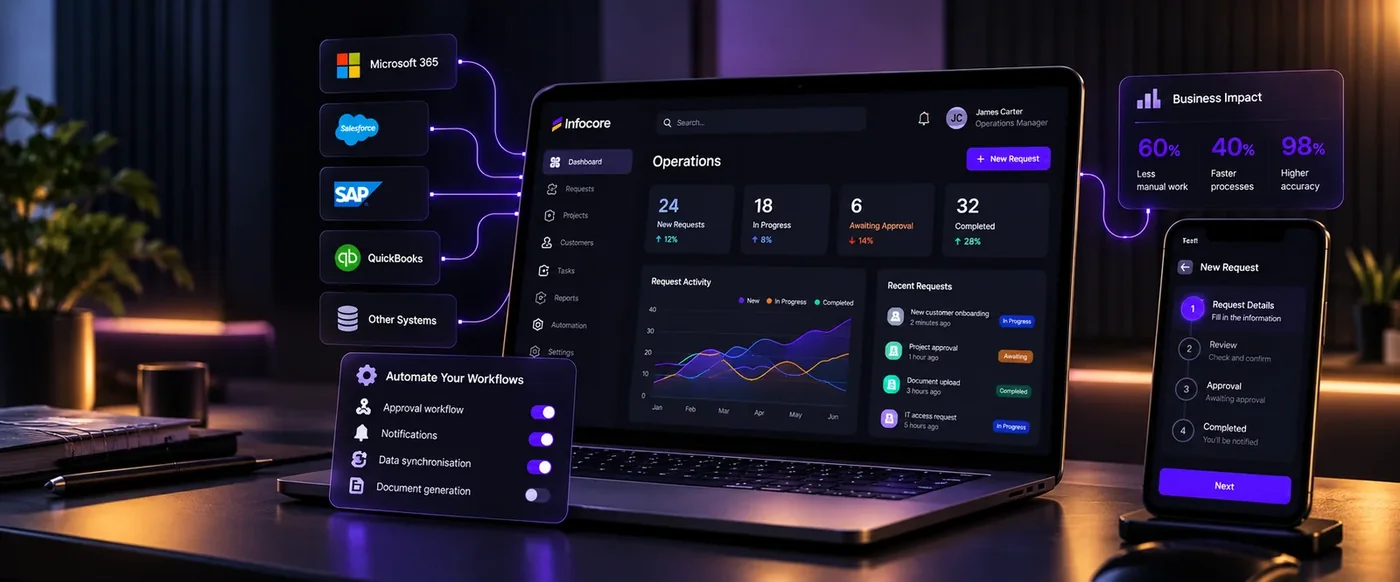
The important distinction is that custom development does not necessarily mean replacing all your existing software. Modern custom applications often sit between the systems a company already uses.
For example:
Microsoft 365 + CRM + ERP + Finance System + APIs
can be connected through a:
Custom Operations Platform
This allows businesses to keep mature commercial software while customising the processes that make their operations unique.
Why Businesses Outgrow Off-the-Shelf Software
Commercial software is designed around common requirements. That is one of its biggest strengths. A CRM does not need to understand exactly how every company sells. It provides a general framework that works for thousands of organisations.
The same is true for:
- ERP
- HR systems
- Accounting platforms
- Project-management tools
- Service desks
- Document-management platforms
For many business functions, this is exactly what you want. The problem begins when the process that matters most to your business is not standard. Imagine a company whose operational process looks like this:
Customer request
↓
Sales qualification
↓
Technical assessment
↓
Management approval
↓
Quotation
↓
Supplier coordination
↓
Project delivery
↓
Customer updates
↓
Financial reconciliation
No single commercial application may handle that entire lifecycle exactly as the business needs it.
The company therefore begins filling the gaps.
A spreadsheet appears.
Then another spreadsheet.
Then a Microsoft Form.
Then a Power Automate workflow.
Then an email approval.
Then someone manually copies information into the ERP.
Eventually, the business technically has ten digital tools but still operates through manual coordination. That is often the moment when custom software becomes interesting.
The Real Warning Sign Is Not “Bad Software”
A common mistake is assuming custom development becomes necessary because existing software is bad.
Usually, that is not the problem.
The software may be excellent.
It simply solves a different problem.
Salesforce can be a powerful CRM.
Microsoft Dynamics can be a powerful business platform.
SAP can be a powerful ERP.
Microsoft 365 can provide excellent productivity and collaboration tools. But none of these systems automatically understand the unique operating model of every organisation. The real warning sign is friction between the business process and the technology supporting it. That friction usually shows up in predictable ways.
1. Your Business Is Running on “Temporary” Spreadsheets
Spreadsheets are incredibly useful. But there is a point where a spreadsheet stops being a spreadsheet and starts becoming an unofficial business application.
You may recognise the pattern:
- One workbook contains thousands of rows.
- Only two employees understand the formulas.
- Multiple departments maintain different versions.
- Nobody is completely sure which copy is current.
- Employees manually update statuses.
- Reports are created by copying information into another spreadsheet.
- Permissions are difficult to control.
- There is limited audit history.
- One accidental change can affect the entire process.
The issue is not Excel itself. The issue is that the business process has evolved beyond what a spreadsheet was designed to manage.
A purpose-built application could introduce:
- Structured data
- User roles
- Validation
- Search
- Workflow states
- Audit history
- Automated notifications
- Dashboards
- API integrations
- Mobile access
- Reporting
In many companies, the spreadsheet already contains the blueprint for the custom application.
It shows:
- What information matters
- Who uses it
- What stages the process goes through
- What reports are required
- Where employees are struggling
The software simply formalises the process.
2. Employees Keep Moving the Same Information Between Systems
One of the clearest signs of poor digital architecture is repeated manual data entry.
For example:
A customer completes a form.
Someone enters the information into the CRM.
Operations copies it into a spreadsheet.
Finance creates the customer again in the accounting system.
A project manager creates another record in the project platform.
Management later combines data from all four systems to create a report.
This is not simply inconvenient.
Every manual handoff creates opportunities for:
- Errors
- Delays
- Duplicate records
- Missing information
- Inconsistent customer data
- Reporting problems
The correct solution is not always a new application.
Sometimes the answer is simply integration. Modern custom software development often focuses heavily on connecting existing systems through:
- APIs
- Webhooks
- Microsoft Graph
- Integration platforms
- Cloud functions
- Middleware
- Event-driven architectures
The objective is simple:
Enter information once. Use it everywhere it is needed. That principle alone can eliminate significant administrative work.
3. Your Team Has Built Workarounds Around the Software
Every organisation has workarounds. The problem is when workarounds become permanent.
Examples include:
- Keeping separate spreadsheets because the application cannot produce the right report
- Entering information into free-text fields because the correct field does not exist
- Sending approval requests by email because the software workflow is too limited
- Exporting CSV files every week
- Creating manual reminders because the system cannot trigger them
- Maintaining customer information outside the CRM
- Using WhatsApp or Teams messages to coordinate operational processes
One workaround is not necessarily important. Twenty workarounds usually indicate a structural problem.
A useful question to ask is:
If we were designing this process today, would we design it around our current software?
If the answer is no, it may be time to redesign the technology around the process instead.
4. Your Software Stack Is Growing but Productivity Is Not
Modern businesses can accumulate software very quickly.
A company may use:
- CRM
- ERP
- HR platform
- Service desk
- Project management
- Finance software
- Forms
- Document management
- Business intelligence
- Workflow automation
- Customer portals
- Messaging platforms
Each system may individually solve a valid problem. But employees do not experience them individually. They experience the entire workflow. If completing one customer request requires opening five applications, employees do not care that all five systems are technically excellent. They see friction. Custom software can provide a unified operational layer across those systems.
For example:
Before
CRM → Spreadsheet → ERP → Email → SharePoint → Finance
After
CRM + ERP + SharePoint + Finance
↓
Custom Operations Application
↓
One interface for the employee. The underlying commercial platforms remain. The custom application becomes the experience layer connecting them. This is one reason the future of enterprise software is increasingly about orchestration, not simply replacing one application with another.
Build vs Buy Is No Longer a Simple Decision
For many years, businesses essentially had two choices:
Buy software
Purchase or subscribe to an existing product.
Build software
Develop an application from scratch. That distinction is becoming less useful. The modern decision is closer to:
Buy what is standard.
Integrate what already works.
Automate what is repetitive.
Build what makes the business different.
That creates a third model:
Build + Buy + Integrate
Consider a company using:
- Microsoft 365 for productivity
- Dynamics or Salesforce for CRM
- An ERP for finance and operations
- Azure or AWS for cloud infrastructure
Instead of replacing those platforms, the company could build a specialised application that uses their APIs and data.
The result might be:
Existing Enterprise Platforms
↓
Integration and API Layer
↓
Custom Business Application
↓
Automation and AI
This hybrid architecture can deliver custom functionality without rebuilding capabilities that already exist.
Build vs Buy vs Hybrid
Standard business requirement
Buy SaaS: Strong fit
Custom Build: Often unnecessary
Hybrid: Strong fit
Unique workflow
Buy SaaS: Limited flexibility
Custom Build: Strong fit
Hybrid: Strong fit
Fast implementation
Buy SaaS: Usually strongest
Custom Build: Depends on scope
Hybrid: Moderate
Initial investment
Buy SaaS: Usually lower
Custom Build: Usually higher
Hybrid: Moderate
Deep customisation
Buy SaaS: Limited
Custom Build: High
Hybrid: High
Integration flexibility
Buy SaaS: Vendor-dependent
Custom Build: High
Hybrid: High
Ownership of roadmap
Buy SaaS: Vendor controlled
Custom Build: Business controlled
Hybrid: Shared
Per-user licensing
Buy SaaS: Common
Custom Build: Not always applicable
Hybrid: Mixed
AI integration
Buy SaaS: Vendor-dependent
Custom Build: Highly customisable
Hybrid: Highly customisable
Long-term maintenance
Buy SaaS: Vendor manages the platform
Custom Build: Managed by the business or development partner
Hybrid: Shared
There is no universal winner.
The right decision depends on the business process, existing systems, long-term requirements, budget, and how strategically important the software is to the organisation.
How AI Is Changing the Build-vs-Buy Equation
The economics of software development are changing quickly.
AI coding assistants have evolved into more capable engineering agents that can increasingly assist with:
- Requirements
- Architecture
- Code generation
- Testing
- Documentation
- Refactoring
- Code review
- Debugging
- Migration
McKinsey's August 2026 State of AI survey found that 32% of respondents said their organisations had decided not to purchase at least one software product or feature because they could build it internally using agentic coding tools.
That is a significant shift. Businesses are beginning to reconsider whether every software requirement needs another SaaS subscription. However, this should not be interpreted as:
“AI can build software cheaply, so businesses should build everything.” The reality is more nuanced. Gartner reported in 2026 that only 35% of software engineering leaders were seeing significant ROI from AI within the software development lifecycle.
The lesson is simple:
Generating code faster does not automatically produce better software.
Good software still requires:
- Clear business requirements
- Strong architecture
- Security
- Testing
- User experience
- Product ownership
- Reliable integrations
- Monitoring
- Maintenance
AI can accelerate engineering. It cannot replace the need to understand the business problem.
The Bigger Change: Software Can Now Do More Than Store Data
Traditional business applications largely focused on:
Store → Retrieve → Update → Report
AI-enabled applications can add another layer:
Understand → Interpret → Recommend → Act
Consider a traditional service-management workflow. A customer sends a request. An employee reads it. The employee identifies the customer. They search previous tickets. They read technical documentation. They determine what to do. They write a reply. They update the ticket. Now imagine a custom AI-enabled application.
The system could:
- Read the incoming request.
- Classify the issue.
- Identify the customer.
- Retrieve relevant account information.
- Search previous cases.
- Search approved knowledge.
- Recommend a resolution.
- Draft the response.
- Create the appropriate workflow.
- Escalate to a person when required.
The AI becomes part of the application rather than a separate chatbot. This is where custom software development and AI transformation increasingly overlap.
Where Custom Software Creates the Most Value
The strongest custom software opportunities are usually not generic applications. They are processes where technology directly affects business performance.
Operations
Custom operations platforms can bring together:
- Requests
- Tasks
- Approvals
- Resources
- Documents
- Statuses
- Reporting
into a single workflow.
Customer Experience
A custom customer portal can provide:
- Self-service requests
- Order tracking
- Account information
- Documents
- Communication
- Payments
- Support
- Real-time status
The objective is not simply creating another login portal. It is reducing the amount of manual communication required between customers and employees.
Sales
A specialised sales application could combine:
- CRM information
- Pricing
- Inventory
- Proposals
- Approvals
- Product information
- Customer history
- AI-assisted recommendations
This can shorten the distance between enquiry and quotation.
Field Operations
Businesses with engineers, technicians, inspectors or field teams may require:
- Mobile workflows
- Offline capability
- Job scheduling
- Photos
- GPS-related information
- Digital signatures
- Asset history
- Service records
These workflows are often highly business-specific.
Internal Service Management
Companies can build internal portals for:
- IT
- HR
- Facilities
- Procurement
- Finance requests
- Access requests
- Employee onboarding
Instead of employees learning which department, email address or form to use, one application can route work to the correct process.
Management Reporting
Sometimes the most valuable custom application is not operational. It is a management layer connecting multiple systems. A business may combine data from:
- CRM
- ERP
- Finance
- HR
- Operations
into a unified management view. Instead of asking:
“Which report is correct?”
leadership works from a consistent operational picture.
What About Low-Code Platforms?
Custom development does not always require traditional software engineering. Platforms such as Microsoft Power Platform and other low-code technologies can be highly effective for certain business applications.
They are particularly useful when:
- The workflow is relatively straightforward
- Microsoft 365 integration is important
- Development needs to be fast
- The user group is internal
- Data volumes are manageable
- Complex custom interfaces are not required
Traditional development becomes more appropriate when there are requirements such as:
- Complex business logic
- Large-scale public applications
- High transaction volumes
- Advanced integrations
- Highly customised user experiences
- Specialised performance requirements
- Complex AI capabilities
- Significant mobile requirements
The right question is not:
Low-code or custom code?
It is:
What is the simplest architecture that can reliably support the business requirement?
How Much Does Custom Software Really Cost?
This is one of the first questions businesses ask. Unfortunately, there is no useful universal answer. A small internal workflow application and a multi-region customer platform are both “custom software,” but they are completely different projects.
The better question is:
What is the total economic impact of the current process compared with the proposed solution?
Consider a process performed by 20 employees.
Each employee spends 45 minutes per day:
- Copying information
- Preparing reports
- Checking statuses
- Sending follow-ups
- Updating systems
That equals:
15 employee hours per day
Across approximately 250 working days:
3,750 hours per year
The value of fixing that process may therefore be much greater than the development cost.
Compare Total Cost of Ownership
When comparing SaaS and custom software, avoid comparing:
Monthly subscription
versus
Development project cost
Those numbers represent different things.
Instead, compare total cost over several years.
SaaS costs can include:
- Licences
- Implementation
- Premium modules
- Consulting
- Integrations
- API usage
- Storage
- Training
- Price increases
- Per-user growth
- Switching costs
Custom software costs can include:
- Discovery
- UX design
- Development
- Cloud infrastructure
- Testing
- Security
- Integrations
- Monitoring
- Support
- Maintenance
- Future development
The decision should consider both cost and value created.
SaaS Economics Are Also Changing
Agentic AI may also change how organisations use traditional enterprise software.
In July 2026, Gartner said that up to $234 billion of enterprise application SaaS spending could be exposed to “agentic arbitrage” by 2030, where AI agents complete tasks across multiple systems without employees directly interacting with each application's interface.
Whether that forecast materialises exactly as projected remains to be seen. But the architectural direction is important. Businesses may increasingly care less about employees opening ten applications and more about software and AI agents coordinating those systems automatically.
That makes:
- APIs
- Integrations
- Data architecture
- Automation
- Custom workflow layers
increasingly strategic.
Custom Software Should Start With Discovery, Not Development
One of the biggest mistakes in custom software projects is starting too quickly.
A business says: “We need an app.”
A developer starts coding. Six months later, everyone discovers they were solving the wrong problem. A stronger project starts with discovery.
Step 1: Understand the Current Process
Map what actually happens today. Not what the procedure document says happens.
Ask:
- Who starts the process?
- What information is required?
- Which systems are involved?
- Where are approvals required?
- Where does work wait?
- Where is information copied?
- Where do errors occur?
- What happens when something goes wrong?
Step 2: Define the Business Outcome
Instead of saying:
“Build a dashboard.”
define the outcome:
“Managers need real-time visibility into project status without manually combining three reports.”
Instead of:
“Build an AI assistant.”
define:
“Employees need to find approved technical procedures in under 30 seconds.”
Technology should follow the outcome.
Step 3: Identify What Already Exists
Before building anything, review:
- Existing SaaS capabilities
- Existing licences
- APIs
- Microsoft 365
- CRM
- ERP
- Low-code options
- Automation tools
Sometimes the correct solution requires very little new software.
Step 4: Design the Architecture
Determine:
- What should be bought
- What should be integrated
- What should be automated
- What should be custom-built
- Where data will live
- How users authenticate
- How permissions work
- How systems communicate
- Where AI belongs
This is where build versus buy becomes an architecture decision rather than a philosophical debate.
Step 5: Build an MVP
Do not try to deliver the final vision in version one. Start with the smallest product that solves the core problem. For example, the long-term platform may include:
- Customer portal
- Mobile application
- AI assistant
- Analytics
- Billing
- Workflow automation
- ERP integration
The first version might contain:
- Secure login
- Request submission
- Internal workflow
- Notifications
- Basic reporting
That is enough to test whether the core process works.
What Is an MVP?
MVP stands for Minimum Viable Product.
It is a focused version of an application containing enough functionality to solve the primary business problem and generate real user feedback.
A good MVP helps answer:
- Does the workflow work?
- Will employees use it?
- Does it save time?
- Is the architecture appropriate?
- Which features actually matter?
- What should be built next?
An MVP is not an excuse for poor-quality software. It means building less functionality with proper quality.
Security Must Be Part of the Architecture
Custom software creates flexibility. It also creates responsibility. Security should therefore be designed into the software-development lifecycle rather than tested only before launch. NIST's Secure Software Development Framework provides practices intended to integrate software security throughout the development lifecycle.
A modern secure-development process may include:
- Identity and authentication
- Role-based access
- Least privilege
- Secrets management
- Encryption
- Secure APIs
- Dependency management
- Code review
- Automated security scanning
- Logging
- Monitoring
- Backup
- Vulnerability management
- Controlled CI/CD
AI-assisted software development creates additional considerations. OWASP's current secure-coding guidance notes that agentic coding tools can execute commands, install packages, edit files and perform broader development actions, making governance and human oversight increasingly important.
AI-generated code should therefore be treated as code.
It still needs:
Review. Testing. Security. Accountability.
Who Should Own the Software?
This is a question businesses should resolve before development starts.
Clarify:
- Who owns the source code?
- Who owns the intellectual property?
- Who owns the cloud environment?
- Who owns the domain?
- Who owns the database?
- Who controls deployment?
- Where is documentation stored?
- Who provides ongoing support?
- How can the software be transferred to another development team?
A company should avoid becoming unnecessarily dependent on one developer or supplier. Custom software should increase business control, not reduce it.
Common Custom Software Development Mistakes
Building Before Understanding the Problem
Technology cannot fix an undefined process. Map the workflow first.
Trying to Build Everything
Large feature lists create long projects and delayed value. Build around the highest-value process first.
Copying Existing Software
If your objective is simply to reproduce a mature SaaS product, buying it is probably more sensible. Custom development should focus on what is genuinely different.
Ignoring Integrations
A beautiful custom application that creates another isolated data silo may make the technology environment worse. Integration should be part of the architecture from the beginning.
Underestimating Maintenance
Software is never truly “finished.” Operating systems change. Browsers change. APIs change. Security requirements change. The business changes. Custom software needs an ownership and maintenance model.
Adding AI Where Normal Software Works Better
Not every workflow needs AI. If the rule is:
“If invoice amount is above $10,000, request director approval.” traditional software logic is perfect.
If the requirement is: “Read this 40-page contract and identify unusual payment obligations.” AI may be appropriate. Use deterministic software for deterministic problems. Use AI where understanding and interpretation create value.
The Best Modern Architecture Is Often a Combination
A modern digital business may look like this:
Core platforms
Microsoft 365
CRM
ERP
Finance
Cloud infrastructure
↓
Data and integration
APIs
Databases
Integration services
Data platform
↓
Custom software
Customer portals
Operational applications
Mobile apps
Management platforms
↓
Automation
Workflows
Approvals
Notifications
Document generation
↓
AI
AI assistants
RAG
Document intelligence
Specialised AI agents
This is a very different approach from trying to find one massive application that does everything. The goal is to create a connected technology ecosystem.
So, Does Your Business Need Custom Software?
Start with these five questions.
1. Is the process important enough?
If the workflow has little impact on cost, customers or growth, custom development may not be justified.
2. Is the requirement genuinely different?
If ten mature SaaS platforms already solve it well, buy one.
3. Is the current process creating measurable friction?
Look for:
- Manual hours
- Delays
- Errors
- Duplicate work
- Lost opportunities
- Poor customer experience
4. Can integration or automation solve the problem first?
Do not build software simply because existing systems are disconnected. Sometimes connecting them is enough.
5. Would better software change what the business can do?
This is the strongest signal. If a better application would allow your organisation to:
- Serve more customers
- Operate with fewer manual steps
- Launch a new service
- Improve customer experience
- Make faster decisions
- Scale operations
then the conversation moves beyond IT. It becomes a business investment.
Frequently Asked Questions About Custom Software Development
What is custom software development?
Custom software development is the process of designing and building software around the specific requirements of an organisation, business process or user group rather than using a standard application designed for the mass market.
When should a company consider custom software?
Businesses commonly consider custom development when existing software cannot support important workflows, systems are poorly integrated, manual processes are limiting growth, or software can create meaningful operational or competitive advantage.
Is custom software better than off-the-shelf software?
Neither approach is automatically better. Off-the-shelf software is usually ideal for standard business requirements. Custom software becomes valuable when requirements are specialised, integrations are complex or the business process itself creates competitive value.
What is the difference between custom software and SaaS?
SaaS is normally a standard application provided to many customers through a subscription. Custom software is designed around a specific organisation's requirements. SaaS usually provides lower initial cost and faster implementation, while custom software can provide greater flexibility, integration and control.
Can custom software integrate with existing systems?
Yes.
Modern custom applications frequently integrate with existing CRM, ERP, Microsoft 365, accounting platforms, payment systems, databases and cloud services through APIs and other integration technologies.
Can AI be integrated into custom software?
Yes.
AI can be integrated into custom applications for tasks such as:
- Search
- Document analysis
- Classification
- Summarisation
- Customer assistance
- Recommendations
- Data extraction
- Workflow decisions
- AI agents
The AI capability should support a defined business outcome rather than being added simply because the technology is available.
Is custom software expensive?
The cost depends entirely on scope, architecture and complexity. Businesses should evaluate total cost of ownership and expected business value rather than comparing only the initial development cost with a monthly SaaS licence.
How long does custom software development take?
Delivery time varies significantly. A focused MVP may be delivered relatively quickly, while a complex enterprise application involving integrations, data migration, mobile applications, security requirements and multiple workflows will require substantially more work. Incremental delivery normally reduces project risk.
What is the difference between custom software and business process automation?
Custom software creates or extends applications designed around business requirements. Business process automation focuses on automatically moving work, information or decisions between steps and systems. The two often work together. A custom application may provide the user experience while automation handles the workflow behind it.
Final Thoughts: Build Less Software, but Build the Right Software
The goal of custom software development should never be to replace every commercial application. That would be expensive, unnecessary and difficult to maintain. Use proven platforms where they work. Integrate systems where connection is the problem. Automate repetitive processes where rules are clear. Introduce AI where understanding, interpretation or intelligent action creates value. And build custom software where the way your business operates genuinely requires something different. The most valuable custom applications are not impressive because of how much code they contain. They are valuable because they make the business simpler. They remove steps. They connect information. They give customers better experiences. They allow employees to focus on higher-value work. And sometimes they enable a business to operate in a way that simply was not possible before. That is the real business case for custom software development.
Has Your Business Outgrown Its Current Software?
If your team is relying on spreadsheets, moving information between disconnected systems, working around software limitations or spending too much time on manual processes, buying another application may not solve the underlying problem. The right starting point is to review the complete workflow.
Map the process. Identify the friction. Review the systems you already have. Decide what should be integrated, automated, bought or built.
A focused custom software discovery process can turn that analysis into a practical architecture and implementation roadmap. The objective is not simply to build another application.
It is to create technology that works the way your business needs to work.
Latest Posts
Is your business data ready for AI transformation? Use this practical AI readiness checklist to assess your data quality, security, governance, permissions, integrations, and AI use cases. Identify your readiness gaps, prioritize what needs fixing, and take the first step toward building a secure and scalable AI foundation for your business.

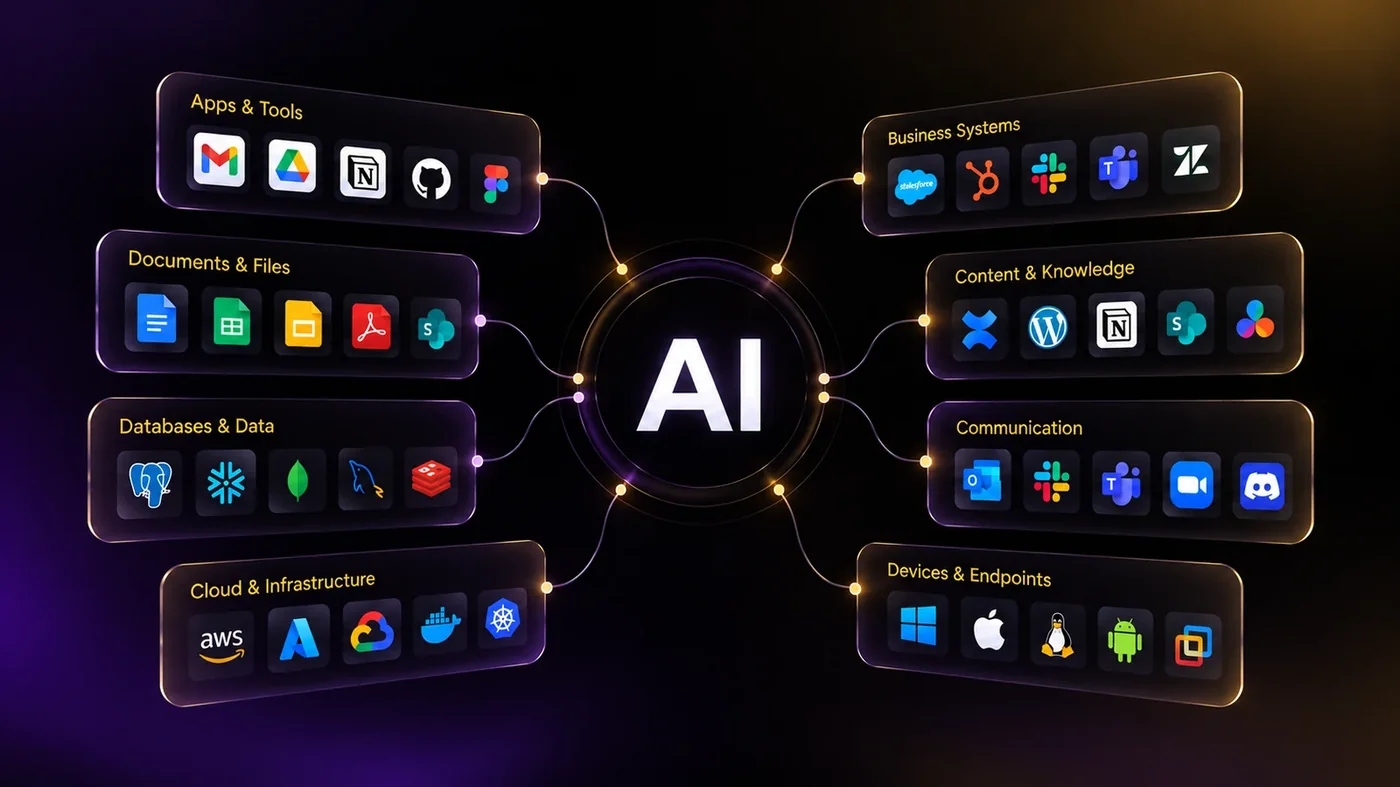
If your business only replaces technology when something becomes slow, unsupported or broken, the problem may not be the hardware itself. It may be the way IT decisions are being made. When every purchase is reactive, you can end up spending more while still falling behind.